Building an MCP Server From Scratch (The Parts Nobody Explains)
April 10, 2026
An MCP server is a JSON-RPC 2.0 process that exposes tools, resources, and prompts to AI clients like Claude Desktop and Cursor. Every tutorial shows you McpServer.registerTool(). None of them show you what happens when the transport drops mid-stream, when OAuth tokens expire between requests, or why your tool silently returns nothing in production.
I have built 4 MCP servers this year. This is what I learned the hard way.
The Handshake Nobody Reads#
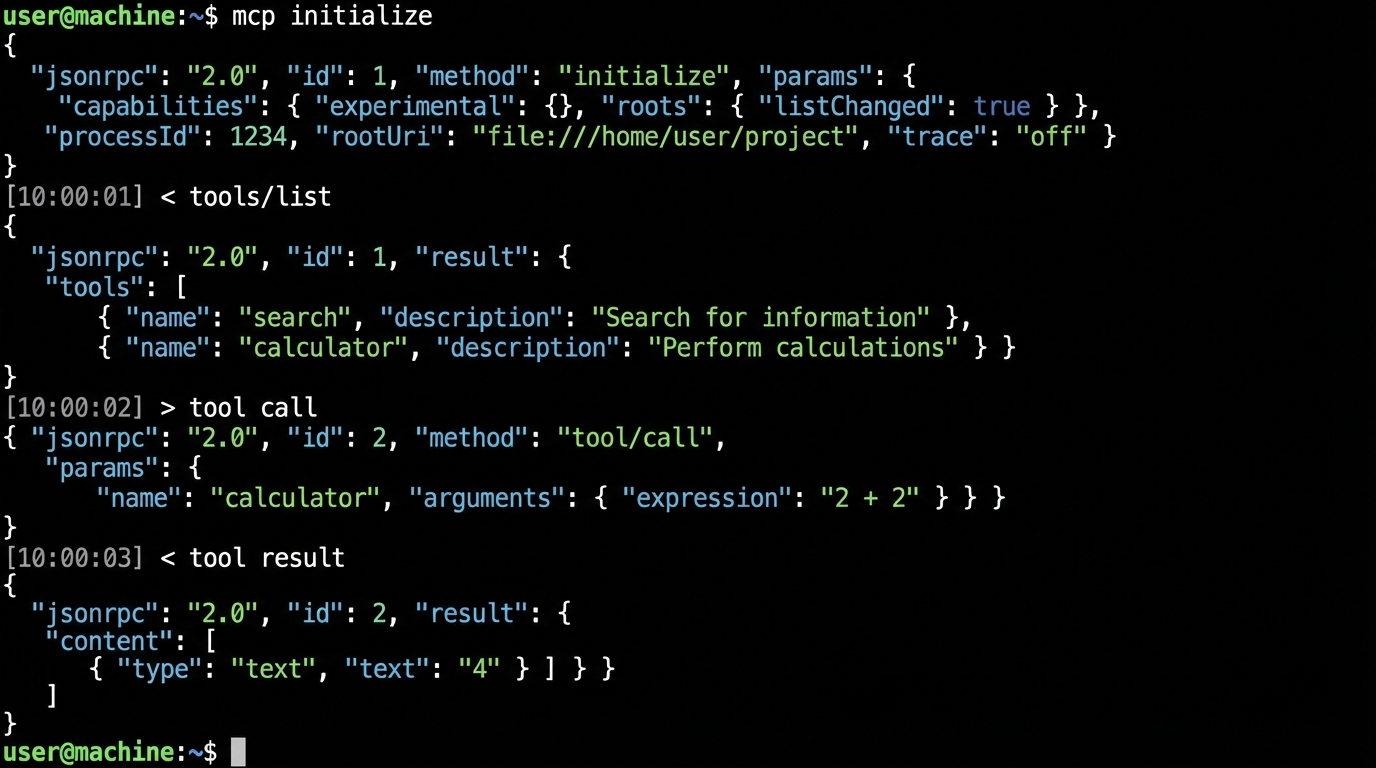
Before your tools do anything, the client and server negotiate capabilities through an initialize request. The client sends its protocol version and supported features. Your server responds with its own capabilities object.
Here is the actual exchange:
// Client -> Server
{
  "jsonrpc": "2.0",
  "id": 1,
  "method": "initialize",
  "params": {
    "protocolVersion": "2025-03-26",
    "capabilities": { "sampling": {} },
    "clientInfo": { "name": "claude-desktop", "version": "1.2.0" }
  }
}

// Server -> Client
{
  "jsonrpc": "2.0",
  "id": 1,
  "result": {
    "protocolVersion": "2025-03-26",
    "capabilities": {
      "tools": { "listChanged": true },
      "resources": { "subscribe": true }
    },
    "serverInfo": { "name": "my-server", "version": "0.1.0" }
  }
}
The capabilities object is a contract. If you declare tools.listChanged: true, you are promising to send notifications/tools/list_changed whenever your tool set changes at runtime. If you declare it and never send the notification, some clients cache the original tool list forever.
After initialize, the client must send notifications/initialized. Only then can you handle tool calls. Skip this step in a custom client and the server SDK will silently drop every request.
Two Layers of the TypeScript SDK#
The official @modelcontextprotocol/sdk package has two APIs that most tutorials conflate.
McpServer is the high-level wrapper. It handles capability negotiation, request routing, and Zod-based input validation automatically. This is what you should use 95% of the time.
import { McpServer } from "@modelcontextprotocol/sdk/server/mcp.js";
import { z } from "zod";

const server = new McpServer({
  name: "deploy-server",
  version: "1.0.0",
});

server.registerTool(
  "deploy",
  {
    description: "Deploy a service to the target environment",
    inputSchema: {
      service: z.string().describe("Service name"),
      env: z.enum(["staging", "production"]),
    },
  },
  async ({ service, env }) => {
    const result = await runDeploy(service, env);
    return { content: [{ type: "text", text: JSON.stringify(result) }] };
  }
);
Server is the low-level protocol handler. You set raw request handlers for any JSON-RPC method. Use this when you need custom protocol extensions or when McpServer's abstractions get in your way.
import { Server } from "@modelcontextprotocol/sdk/server/index.js";

const raw = new Server(
  { name: "custom-server", version: "1.0.0" },
  { capabilities: { tools: {} } }
);

raw.setRequestHandler("tools/call", async (request) => {
  // Full control over request/response
  const { name, arguments: args } = request.params;
  // Your dispatch logic here
});
The trap: McpServer wraps Server internally. If you mix both in the same process, you get duplicate handler registration errors that surface as opaque "method not found" JSON-RPC responses.
McpServer vs Server: When to Use Which
Streamable HTTP: The Transport That Replaced SSE#
If you are deploying an MCP server as a remote service (not a local stdio process), you need Streamable HTTP. It replaced the old two-endpoint SSE model in the 2025-03-26 spec revision. One endpoint handles everything.
The client sends POST requests to your server's MCP endpoint. The server can respond with a single JSON response or upgrade to a Server-Sent Events stream for long-running operations. A GET request on the same endpoint opens a persistent SSE channel for server-initiated notifications.
import { McpServer } from "@modelcontextprotocol/sdk/server/mcp.js";
import { StreamableHTTPServerTransport } from "@modelcontextprotocol/sdk/server/streamableHttp.js";
import express from "express";

const app = express();
const server = new McpServer({ name: "remote-server", version: "1.0.0" });

// Register your tools here...

const transport = new StreamableHTTPServerTransport({ sessionIdGenerator: () => crypto.randomUUID() });

await server.connect(transport);

app.post("/mcp", async (req, res) => {
  await transport.handleRequest(req, res, req.body);
});

app.get("/mcp", async (req, res) => {
  await transport.handleRequest(req, res);
});

app.delete("/mcp", async (req, res) => {
  await transport.handleRequest(req, res);
});

app.listen(3001);
Three things will bite you in production:
- Sessions are stateful. The transport generates a session ID and expects the client to send it back via a
Mcp-Session-Idheader. Put this behind a load balancer without sticky sessions and requests route to the wrong instance. - No automatic reconnection. If the SSE stream drops, the client must re-initialize. The SDK does not retry for you.
- DELETE means terminate. A DELETE to the endpoint kills the session. Some HTTP proxies strip or block DELETE requests by default.
If you are deploying behind Cloudflare or AWS ALB, test the DELETE method explicitly. I lost two days to a Cloudflare WAF rule silently blocking DELETE on a path that looked like a REST resource.
OAuth 2.1: The Auth Layer Nobody Gets Right#
The MCP spec mandates OAuth 2.1 with PKCE for remote server authentication. Your MCP server acts as both an OAuth resource server (validating tokens from clients) and optionally as an authorization server (issuing tokens itself).
The flow looks like this:
- Client discovers your auth endpoints via
GET /.well-known/oauth-authorization-server - Client redirects the user to your authorization endpoint with a PKCE challenge
- User authenticates and grants consent
- Client exchanges the auth code for an access token at your token endpoint
- Client sends the token in the
Authorization: Bearerheader on every MCP request
// Minimal metadata endpoint
app.get("/.well-known/oauth-authorization-server", (req, res) => {
  res.json({
    issuer: "https://mcp.example.com",
    authorization_endpoint: "https://mcp.example.com/authorize",
    token_endpoint: "https://mcp.example.com/token",
    response_types_supported: ["code"],
    code_challenge_methods_supported: ["S256"],
    grant_types_supported: ["authorization_code", "refresh_token"],
  });
});
The spec also recommends supporting RFC 7591 Dynamic Client Registration. In practice, this means any MCP client can register itself with your server without manual setup. Most tutorials skip this entirely.
Real-world shortcut: use an auth provider. Stytch, Auth0, and Cloudflare Workers all have MCP-compatible OAuth 2.1 implementations. Rolling your own token issuance is a liability unless you have a specific reason.
- Token expiry must be short (15 minutes max for access tokens)
- Refresh tokens must be rotated on every use
- All endpoints must be HTTPS, no exceptions
- Redirect URIs must be validated exactly, not with prefix matching
MCP Request Lifecycle
Error Handling the SDK Swallows#
The TypeScript SDK catches errors inside tool handlers and wraps them in a JSON-RPC error response. The problem is that the error message sent to the client is generic. Your stack trace goes to stderr (if you are lucky) or nowhere.
Here is what a tool error looks like on the wire:
{
  "jsonrpc": "2.0",
  "id": 5,
  "result": {
    "isError": true,
    "content": [{ "type": "text", "text": "Error: fetch failed" }]
  }
}
Notice: this is a successful JSON-RPC response with isError: true in the result. It is not a JSON-RPC error object. The distinction matters because error-handling middleware that checks for the error field will miss it entirely.
Fix this with a wrapper:
function safeTool<T>(handler: (args: T) => Promise<CallToolResult>) {
  return async (args: T): Promise<CallToolResult> => {
    try {
      return await handler(args);
    } catch (err) {
      const message = err instanceof Error ? err.message : String(err);
      console.error(`[tool-error] ${message}`, err);
      // Send structured error the AI can reason about
      return {
        isError: true,
        content: [{
          type: "text",
          text: JSON.stringify({
            error: message,
            code: err instanceof AppError ? err.code : "INTERNAL",
            retryable: err instanceof TimeoutError,
          }),
        }],
      };
    }
  };
}
The AI model reading this error can now decide whether to retry. A bare "Error: fetch failed" string gives it nothing to work with.
Two more traps:
- Don't log to stdout. With stdio transport, stdout IS the protocol channel. A stray
console.logcorrupts the JSON-RPC stream. Useconsole.erroror the SDK's built-inserver.sendLoggingMessage(). - Zod validation errors are silent by default. If a client sends
{"count": "five"}for az.number()field, McpServer returns an error to the client but does not call your handler. Add a.catch()on the transport connection to see these.
Production Deployment Patterns#
I run MCP servers on Cloudflare Workers and plain Docker containers. Both work. Both have gotchas.
Token budget problem. Connect 10 MCP servers with 5 tools each and you burn 2,000+ tokens just on tool definitions before the user types anything. In production, use dynamic tool loading and only expose tools relevant to the current context.
Health checks. MCP has no built-in health endpoint. Add one yourself:
app.get("/health", (req, res) => {
  res.json({
    status: "ok",
    version: "1.0.0",
    uptime: process.uptime(),
    sessions: transport.activeSessions?.size ?? 0,
  });
});
Containerization. A minimal Dockerfile for an MCP server:
FROM node:22-slim
WORKDIR /app
COPY package*.json ./
RUN npm ci --production
COPY dist/ ./dist/
EXPOSE 3001
HEALTHCHECK CMD curl -f http://localhost:3001/health || exit 1
CMD ["node", "dist/index.js"]
Keep images under 200MB. MCP servers should start in under 2 seconds.
Monitoring. Track these metrics:
- Tool call latency (p50, p95, p99)
- Error rate per tool
- Active session count
- Token consumption per request
If you have built Claude Code skills before, building an MCP server is the next logical step. Skills customize one client. MCP servers work with every client that speaks the protocol.
For developers already using Claude Code with local models, MCP servers let you extend those local setups with custom tools that hit your own APIs and databases. The 15 tips guide covers client-side optimization. This post covers the server side.
The MCP spec is moving fast. Streamable HTTP landed 12 months ago and already replaced SSE. OAuth 2.1 is mandatory for remote servers. The 2026 roadmap adds agent-to-agent communication and registry discovery. Build your server against the current spec, but expect to update the transport layer at least once this year.